I found my database password in a Claude Code session file
I use Claude Code for most of my programming work, and I have very little idea what it's actually doing under the hood.
A few months ago I was poking around ~/.claude/projects/ and opened a session JSONL file. Buried in the conversation, Claude Code had read a .env file and echoed its contents back as a tool result. My database password, sitting in plaintext, in a file I never look at.
That was the afternoon I stopped what I was working on and started building Claudoscope.
The problem isn't Claude Code. It's visibility.
Claude Code doesn't have a cost breakdown per session. The Enterprise API doesn't surface spend data at all; only the admin dashboard does, and it's not granular enough. When we rolled it out across the org, nobody could answer basic questions: which sessions are expensive? Is the agent stuck in a loop somewhere? Is our CLAUDE.md actually doing anything useful or just eating context window?
And the security angle was worse. Session files contain the full conversation, including anything the agent reads from disk. If it touches a file with credentials, those credentials now live in an unencrypted JSONL file indefinitely. Nobody was checking for that.
So I built a flashlight.
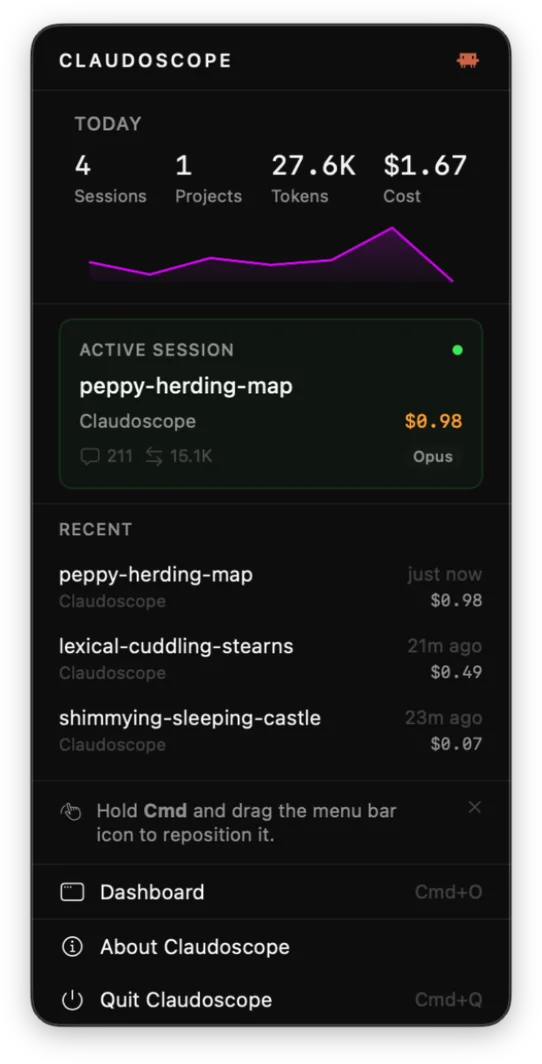
Claudoscope is a native macOS menu bar app. It watches your Claude Code session files locally, parses them, and gives you a dashboard. Nothing leaves your machine.
The menu bar widget gives you a glance: today's sessions, tokens, cost, and any sessions that are currently running with a live cost number next to them. Click through to the full dashboard when you want the details.
"Why did Tuesday cost $47?"
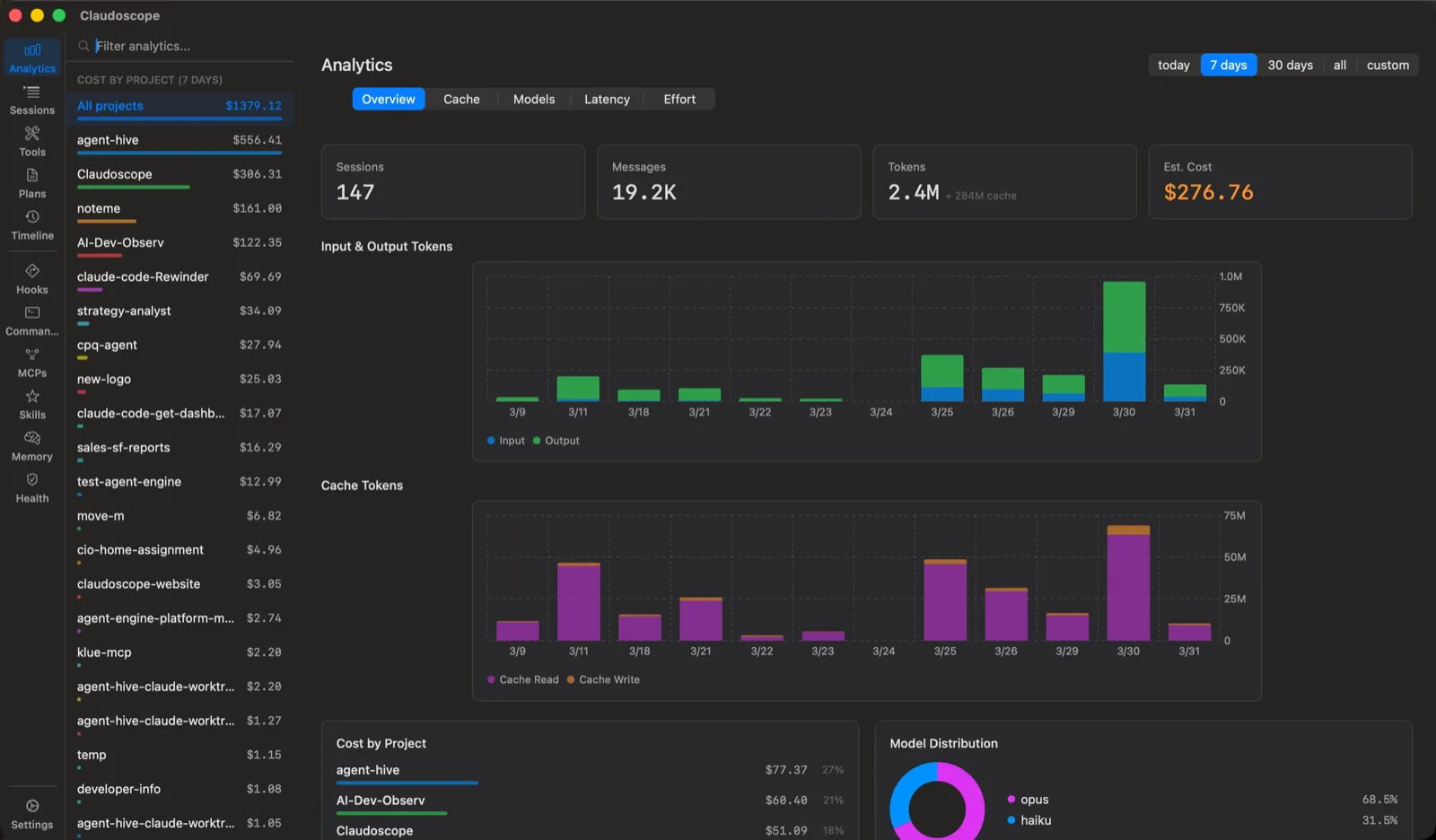
That was the question I kept asking and couldn't answer. The analytics view breaks it down: cost by project, cost by model, daily trends. The cache tab shows whether your prompt cache is stable or busting on every request (cache busting is expensive and invisible without tracking). There's a what-if calculator that shows what your bill would look like if you moved Opus sessions to Sonnet.
"Is my CLAUDE.md any good?"
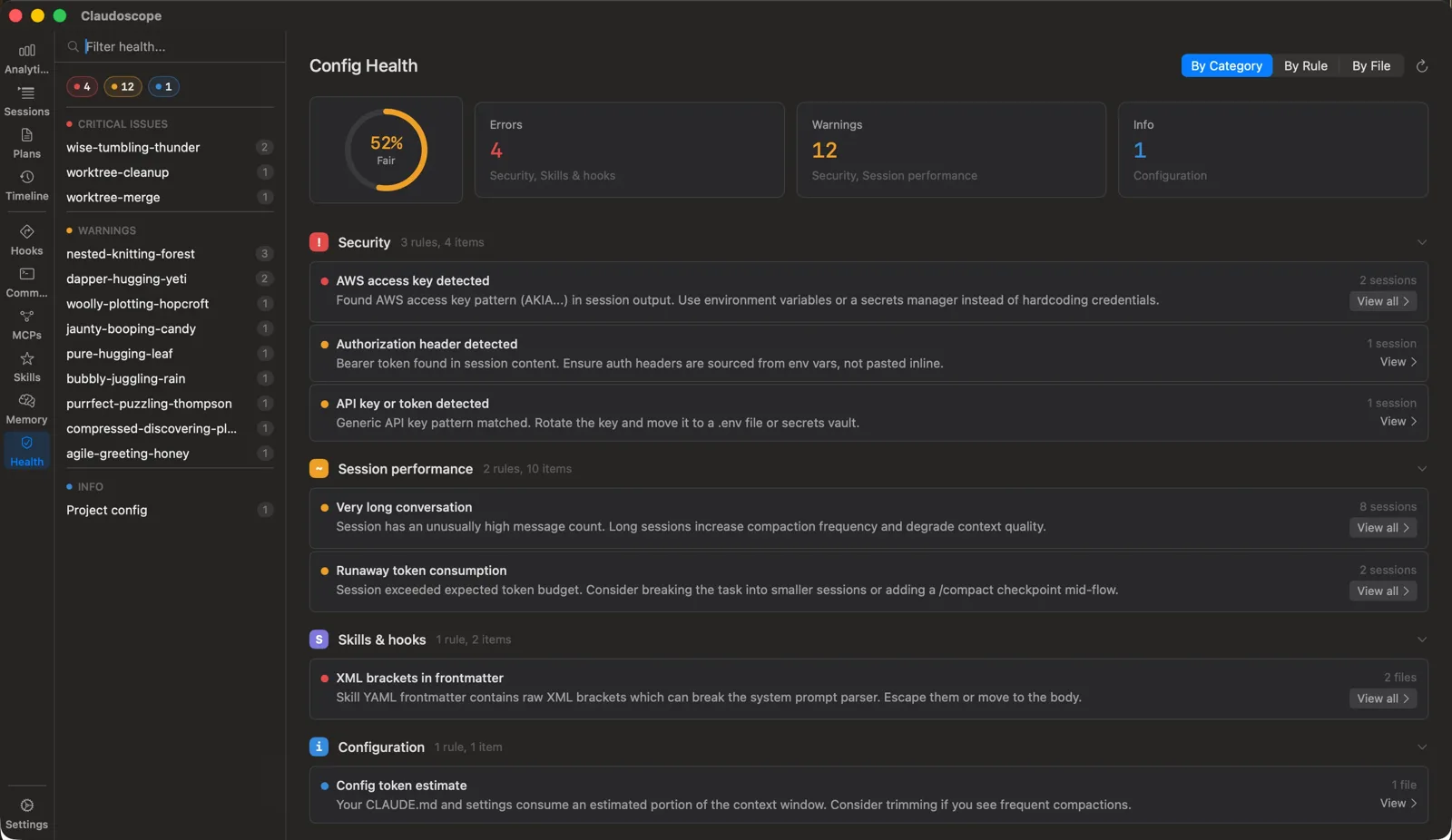
I didn't plan on building a config linter. It started as a quick check for obvious problems in my own setup. Then I ran it on a colleague's CLAUDE.md and found it was over 4,000 tokens, roughly 10% of the context window eaten by instructions before the agent even started working. So I made it a rule.
The linter had 19 rules when I wrote this. It checks CLAUDE.md structure, skill metadata, deprecated commands, token budget estimates. It groups findings by rule rather than by file, so you see patterns. One rule (subprocess env scrub) has a one-click auto-fix.
Update, September 2026: the linter now has 85 rules across 12 families, plus a hook-matcher linter and a reversible hardening baseline. The 1.0 post covers what changed since.
The first time I ran it on our team's configs, it flagged raw XML brackets in a skill's frontmatter that would break the system prompt parser. Nobody had noticed because the failure was silent.
Secret scanning
This is probably the most useful feature and also the hardest one to get people excited about. Did the agent just leak your credentials? You'd never know unless something was watching.
Claudoscope scans session files for leaked credentials: private keys, AWS access keys, auth headers, API tokens, passwords in connection strings. It uses regex matching, Shannon entropy analysis, and allowlists for placeholder values. The entropy check matters because without it you get a wall of false positives from example code and docs.
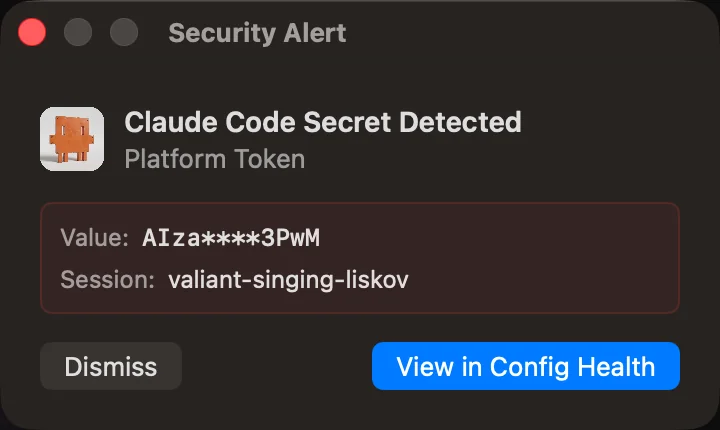
When it finds something, a panel pops up on screen. Doesn't matter if the dashboard is open. It watches the tail of active session files and alerts you immediately.
What I learned from my own data
Building this meant spending a lot of time inside Claude Code's JSONL format. A few things I didn't expect:
Prompt cache reads are cheap ($0.30/MTok on Sonnet vs $3.00 uncached), so I assumed most of my input was cached. On some projects, 30-40% wasn't. The cache busts when session context shifts after compaction, and before I had a hit rate chart staring me in the face, I had no idea.
I also figured my expensive sessions would be the big multi-hour ones. They weren't. The cost was in dozens of short sessions where Claude Code loaded context, did one thing, and exited. Each one paid full input with no cache. Fifty quick questions cost me more than the three-hour refactor.
Most CLAUDE.md files across our team were 2,000-5,000 tokens. Context window you pay for on every message. A few people trimmed theirs after seeing the linter's token estimate.
And one gotcha for anyone parsing these files themselves: the JSONL contains intermediate records with null stop_reason, in-progress streaming responses. Sum all records naively and you double-count tokens. I shipped this bug and didn't catch it until cost estimates were 1.5-2x the actual Vertex bill. Not documented anywhere, as far as I can tell.
Under the hood
It watches ~/.claude/projects/ with macOS FSEvents (not polling). Session parsing runs on a Swift actor for thread safety. Cost estimation runs per-message, not per-session, because different messages in the same session can use different models. There's an LRU cache (20 sessions) so navigating between recent sessions feels instant.
I built it in SwiftUI, macOS 14+, Apple Silicon only. I wanted it to feel like a Mac app. That means no Linux or Windows, and I'm fine with that tradeoff.
Install
Free, open source, macOS only (Apple Silicon). Homebrew:
brew install --cask claudoscopeOr grab the DMG from GitHub. It auto-updates. The cost estimation is most useful on Enterprise plans where per-session data isn't available, but session analytics and config linting work regardless of your plan.
Go check your session files. You might not like what you find.